For the living-room HTPC

Your Linux PC, turned into the family TV. The remote: your phone.

Touchpad, keyboard and your streaming apps one tap away. And with voice, putting on YouTube is just saying "play YouTube" — so the whole family can use the TV, not only the person who set it up.

Runs on your local network · no accounts, no tracking · the basic remote is free
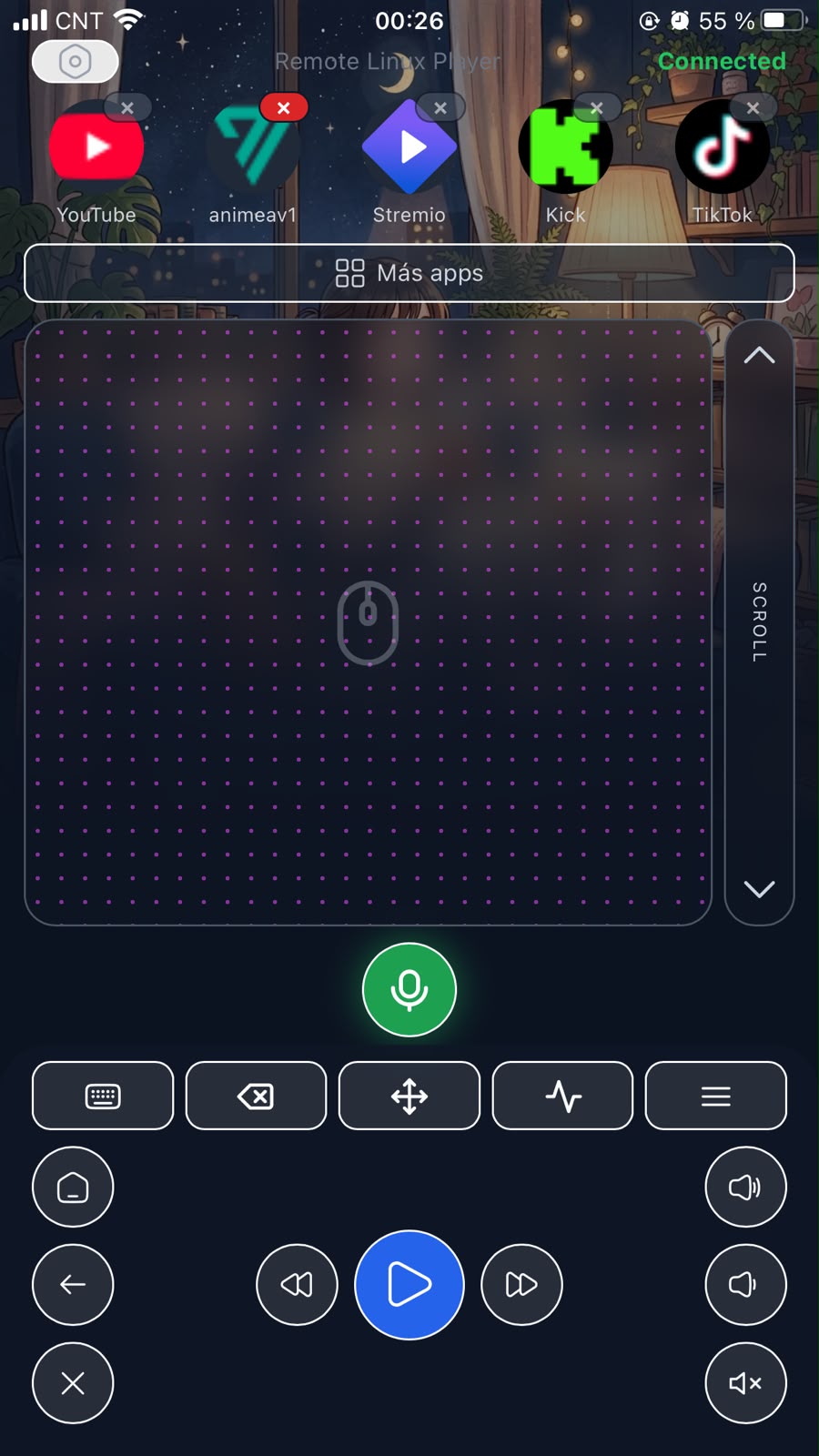
The remote on a phone: app row, touchpad, voice button and media controls

Demo video coming soon
The app running on a real TV, recorded in one take.

How it works

Ready in three steps

No app stores, no accounts to create, no ports opened to the internet.

1

One command on your PC

Paste the install command in a terminal and the wizard sets up the service, local HTTPS and hardware permissions by itself. The tutorial explains every question.

2

Pair your phone

The installer shows you a secure link. Open it on your phone, accept the local certificate once, and add the app to your home screen.

3

Control from the couch

Netflix, YouTube, Spotify and your native Linux apps. Touchpad, keyboard, volume and playback. With Pro, also by voice.

For your family

The TV your mom can use on her own

The hard part of an HTPC isn't building it — it's that afterwards nobody else in the house knows how to use it. LinuxRemotePlayer fixes that with a remote everyone already knows: their own phone.
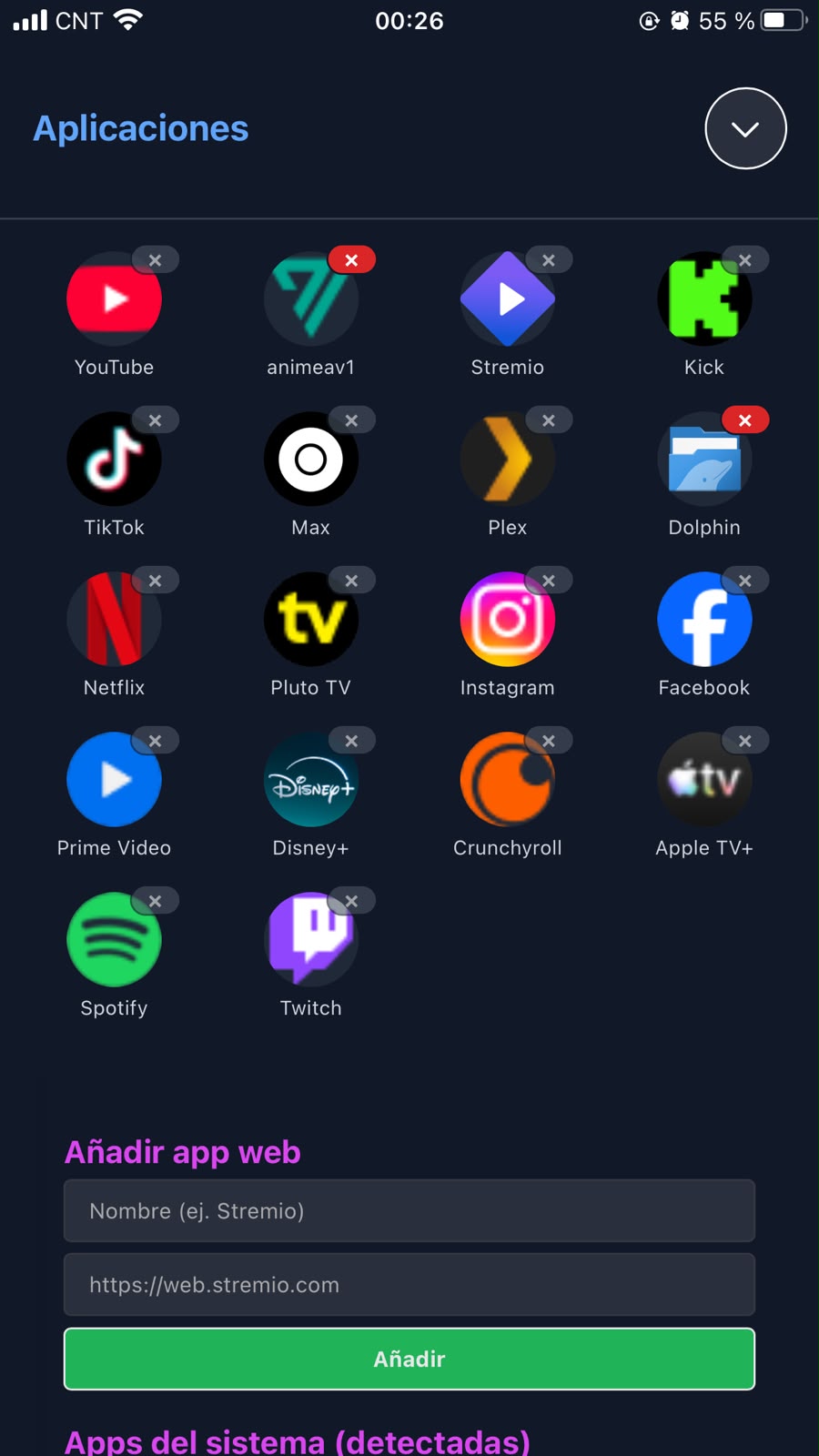
  • Their apps, one tap: Netflix, YouTube, Pluto TV and any you add, each with its big icon.
  • Voice commands (Pro): "play YouTube cooking videos", "volume up", "pause" — in English and Spanish.
  • Buttons that make sense: volume, pause, back. No three-level menus.
App drawer with streaming icons: YouTube, Netflix, Disney+, Spotify and more
For you

The fine-grained control a power user expects

Under the simple surface there's full control of the system, built for the person who runs the machine.
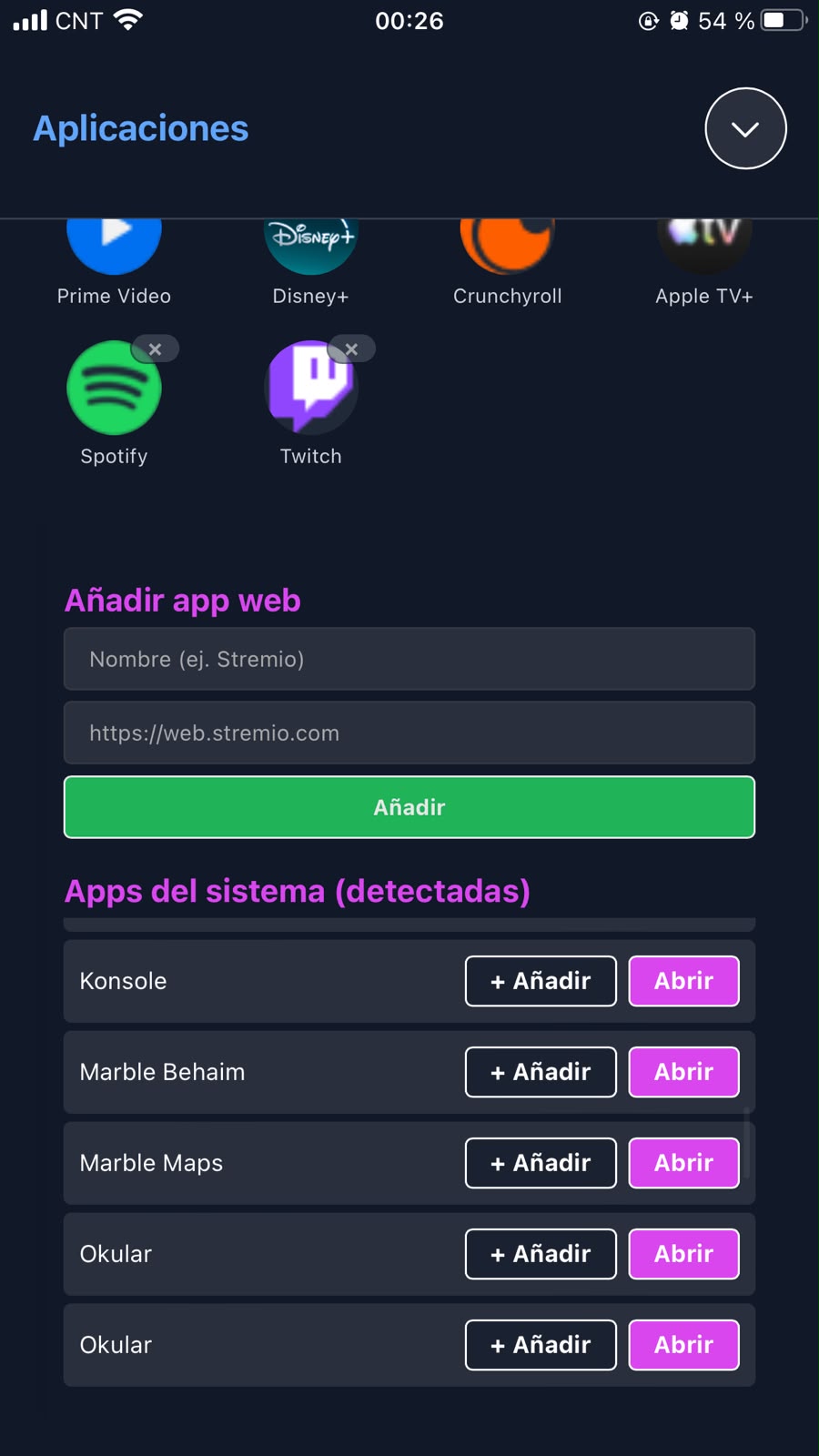
  • Native apps, auto-detected: Dolphin, Konsole, Okular — whatever you have installed, launchable from your phone.
  • Real touchpad + keyboard: virtual pointer, right-click, scroll and a full keyboard through the kernel (uinput).
  • Kiosk mode: every web app opens full-screen in Firefox, no borders, no distractions.
  • Themes: Day (light, included) plus Pro Night, Café and Anime — the same palette as this site.
Auto-detected system apps: Konsole, Marble, Okular, with add and open buttons
Compatibility

Actually tested, honestly stated

We'd rather tell you exactly where it works than promise "any Linux".

KDE Neon — Plasma Bigscreen 6.7.0The reference platform: every release is tested here end to end.
100% compatible
Linux Mint (Cinnamon)The remote works; some kiosk integrations may vary.
Partial
Debian and derivatives in generalRequires systemd. The installer targets the Debian/Ubuntu family.
Partial
Arch, Fedora and othersNot tested yet. Multi-distro support is on the roadmap.
Untested

Tried it on another distro? Tell us how it went from the feedback button in the app — that's how this table grows.

Install

One command, then pair

On your Linux PC (Debian/Ubuntu family, with systemd and Firefox):

curl -fsSL https://www.linuxremoteplayer.com/install.sh | sudo bash

A single command: it downloads the latest version, verifies its integrity (sha256) and launches the wizard. The wizard asks 4 questions (user, TV or desktop mode, sleep, keyboard) and ends by giving you the pairing link for your phone.
Full step-by-step tutorial →

Prefer to download the package manually?
linuxremoteplayer_1.8.0_all.deb
Version 1.8.0 · then: sudo apt install ./<file>.deb
sha256: 2be02de9f7c47bcbb1b5a5c3de71629f456b938557dd1fffb1310202efbe0508
Download .deb
Pricing

Free to control. $5 once to talk to it.

No subscriptions. No confusing tiers. The basic remote is free forever; the Pro license is a one-time payment that unlocks everything premium, present and future.

Free
$0
forever
  • Full touchpad and keyboard
  • Streaming apps in kiosk mode (Netflix, YouTube, and any you add)
  • System apps detected and launchable
  • Volume and playback controls
  • Updates from inside the app
Install free
Pro — personal license
$5 USD
one-time payment, forever
  • AI voice control in English and Spanish (60 commands/day)
  • Pro themes: Night, Café, Anime and those to come
  • All future premium features included — never pay again
  • 1 active PC per license, with self-service moving
  • Your key arrives by email instantly
Purchase available very soon

Payment will be processed by Paddle, our authorized reseller. No-questions-asked refund within 14 days.

In active development: every update improves voice control and adds more compatible sites. Buy once, and the app keeps growing with you.

Questions

Frequently asked questions

What do I need to use it?
A Linux PC connected to your TV (Debian/Ubuntu family with systemd and Firefox) and a phone (Android or iPhone) on the same WiFi network. Nothing else: no extra hardware, no accounts. Full details in requirements.
What exactly does the free part include?
The whole remote: touchpad, keyboard, volume, playback, streaming apps in kiosk mode and system apps. It's not a crippled demo — it's a complete remote control. The Pro license adds AI voice, premium themes and whatever comes next.
Do my voice and data leave my home?
The remote itself (touchpad, keyboard, apps) works 100% inside your local network: nothing travels over the internet. The only thing that leaves is the audio of a voice command — only when you press the microphone button, encrypted, to our AI service — and it's used solely to understand the command. More detail in privacy.
How do I receive and activate my license?
After checkout, your key (format LRP-XXXX-XXXX-XXXX) arrives by email within 1-2 minutes. In the app: Settings → License → paste the key → Activate. The license works on one PC at a time and you can move it yourself if you switch machines.
How does it update?
From the app itself: Settings → Update → Check. The server updates itself and the phone app picks up the new version when you close and reopen it. Update guide.
What if I want to uninstall everything?
One command: sudo apt remove linuxremoteplayer. It takes the service, the firewall rules and the permissions it configured with it. No hidden leftovers. Details here.

Do you offer refunds?
Yes: 14 days, no questions asked. Write to support@linuxremoteplayer.com from your purchase email and we'll process it.